
Connect WordPress to Google
Create Google Developer App
after installing plugin , go to settings page and click “Add new account” button. If you are using Gravity forms , Go to Forms > Settings > Google Sheets > Add new Account.
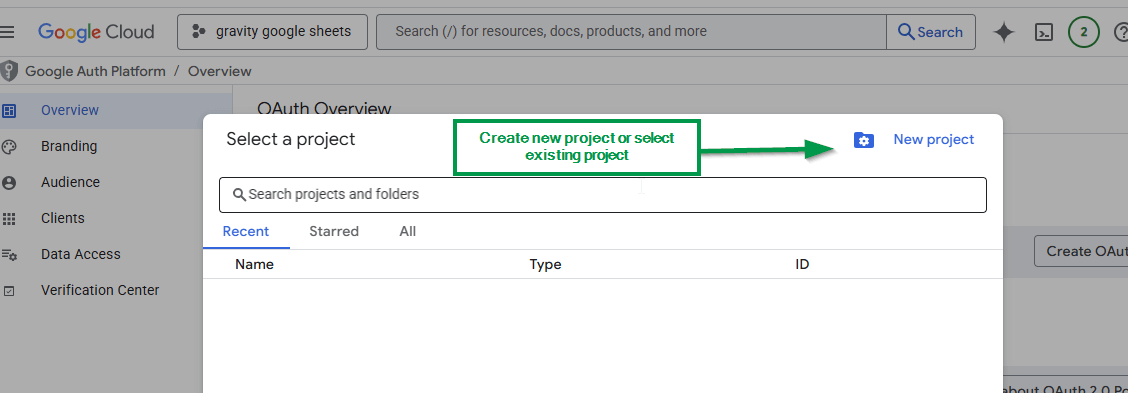
Go to Google Developer Console , Create new Project or Select old project (open Google Auth Platform).
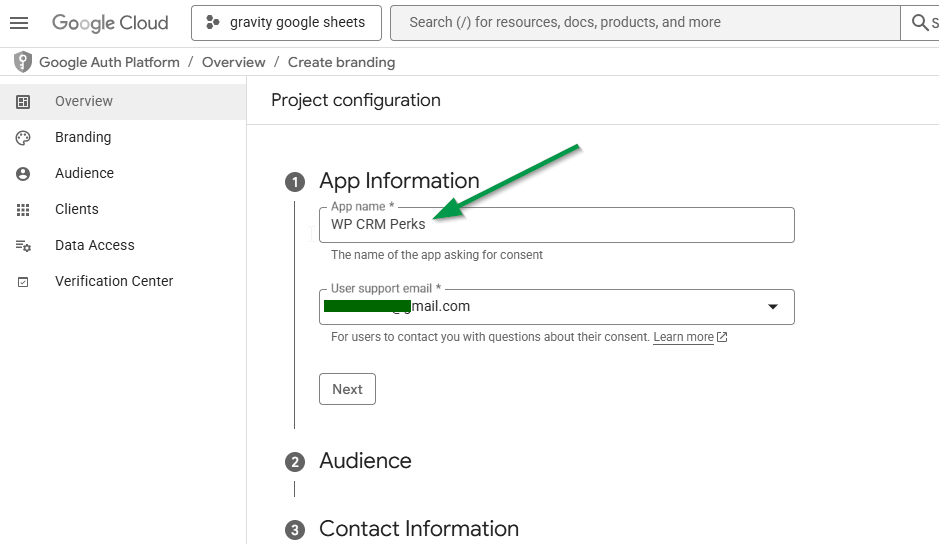
click “Get started” button (OR go to Branding tab) , enter App name (e.g CRMPerks connection) and your google email, click “Next” button.
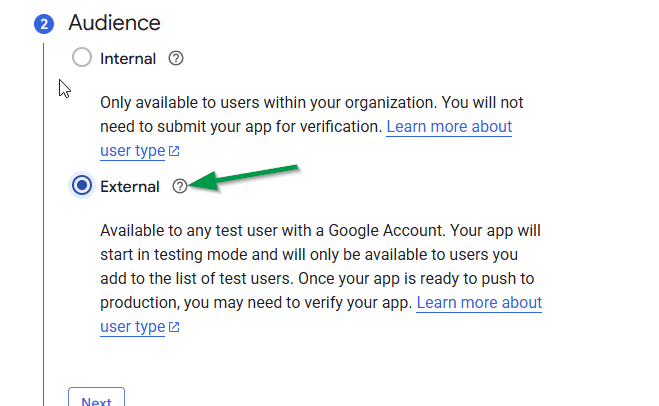
in “Audience” section , select “External”, Add google users who will connect app, finally click “publish app” button , “Testing” apps tokens expire in 7 days and you will have to reconnect your google account every week.
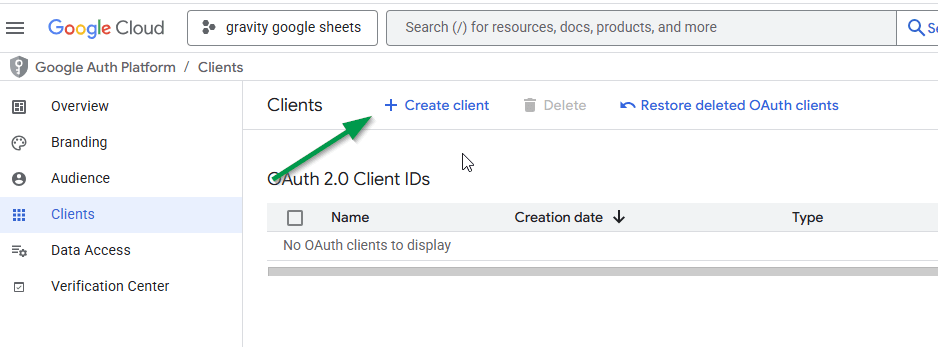
Go to “Clients” tab and create new Client.
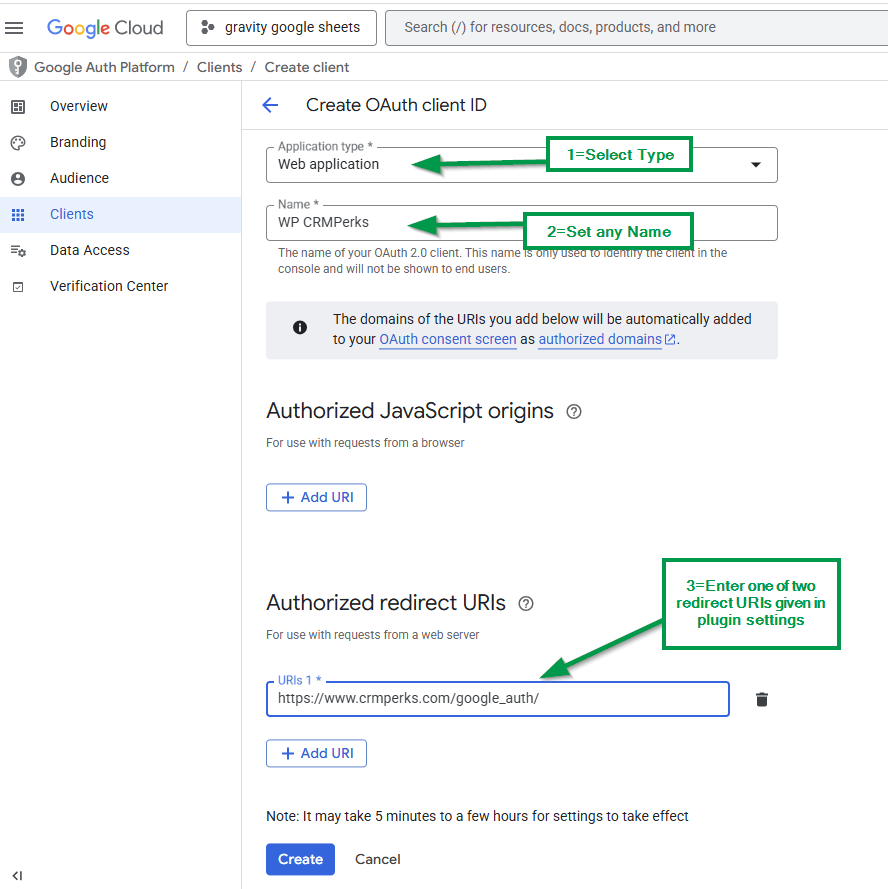
- Select Application Type as “Web application”, Enter name(e.g CRM Perks APP) ,
- Enter https://www.crmperks.com/google_auth/ or http://yoursite.com/wp-admin/?vxg_googlesheets_tab_action=get_code in “Authorized redirect URIs” field then click “Create” button
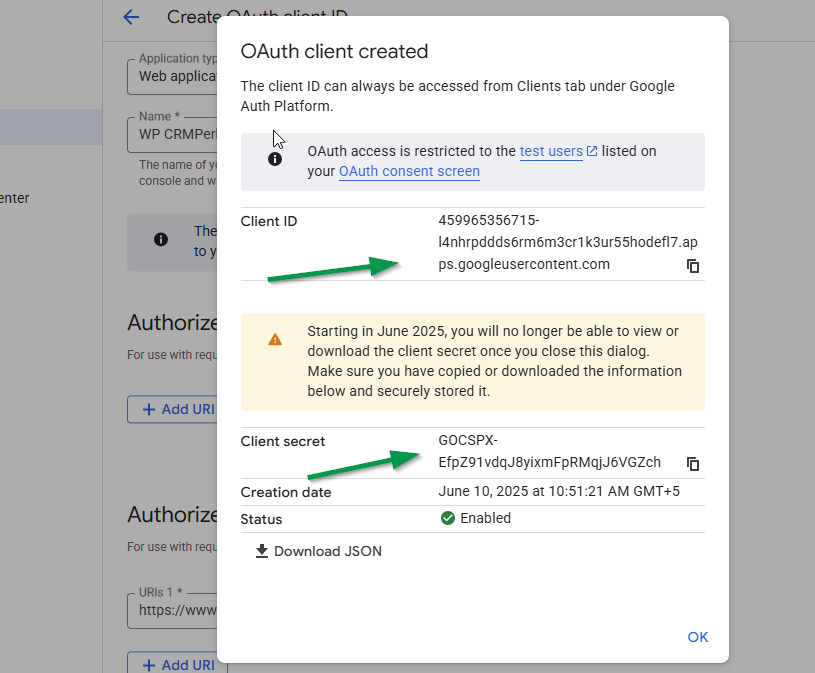
Copy Client ID and Secret.
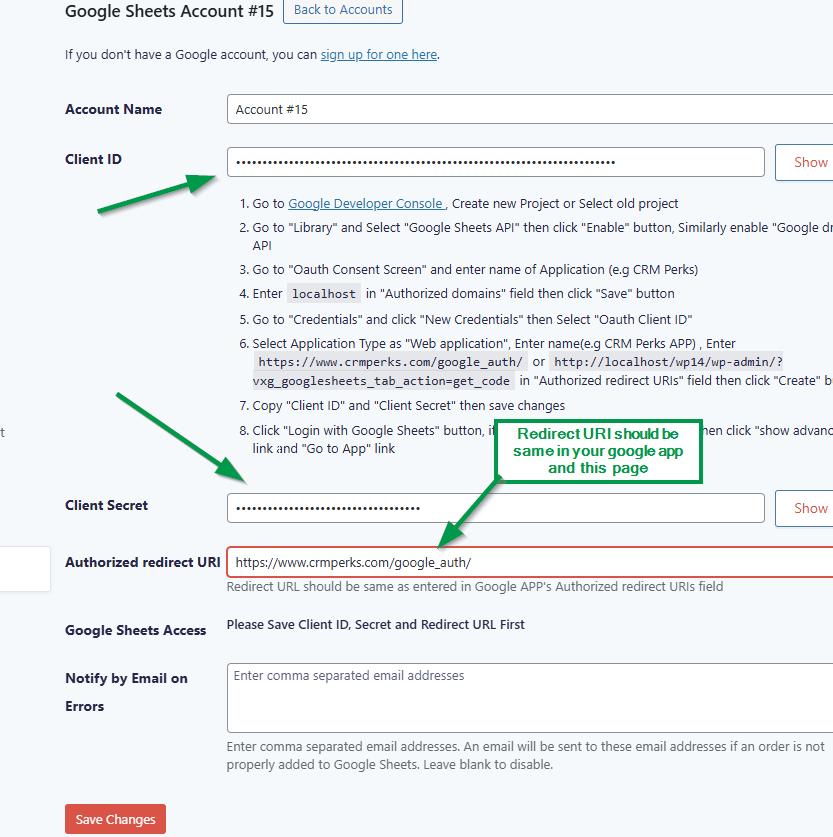
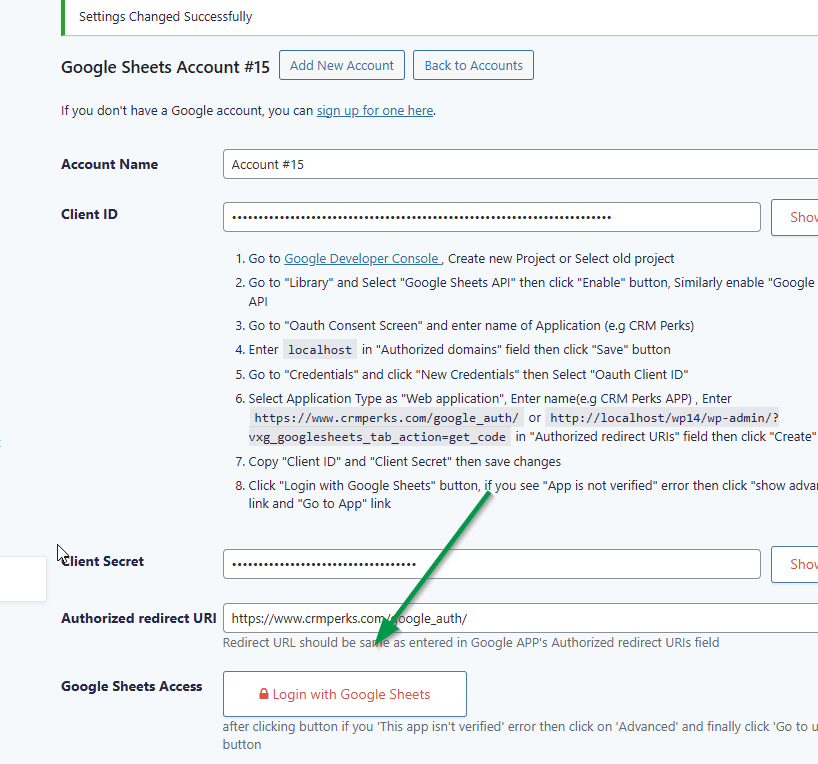
Enter Client ID, Secret and Redirect URI in plugin settings, click “save” button.
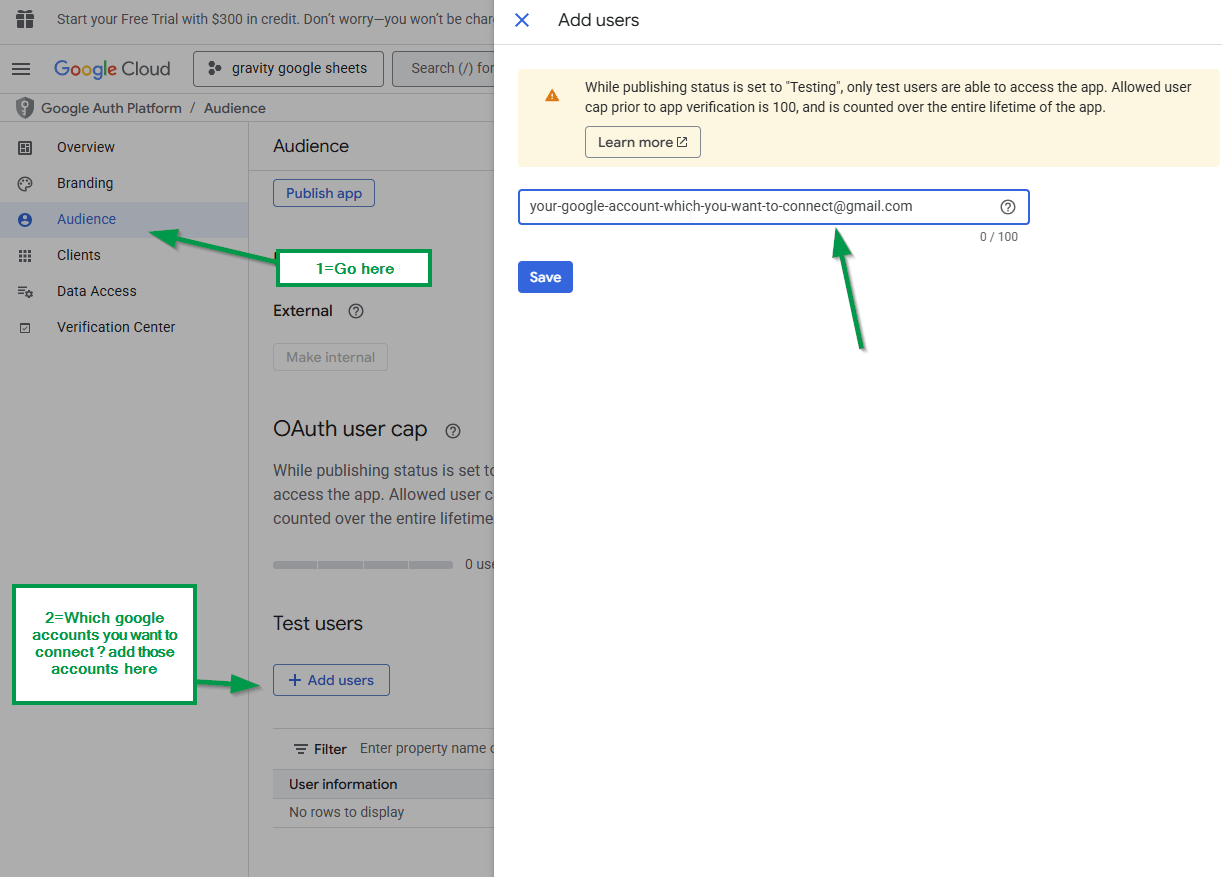
Go to “Audience” section, add google accounts which you want to connect.
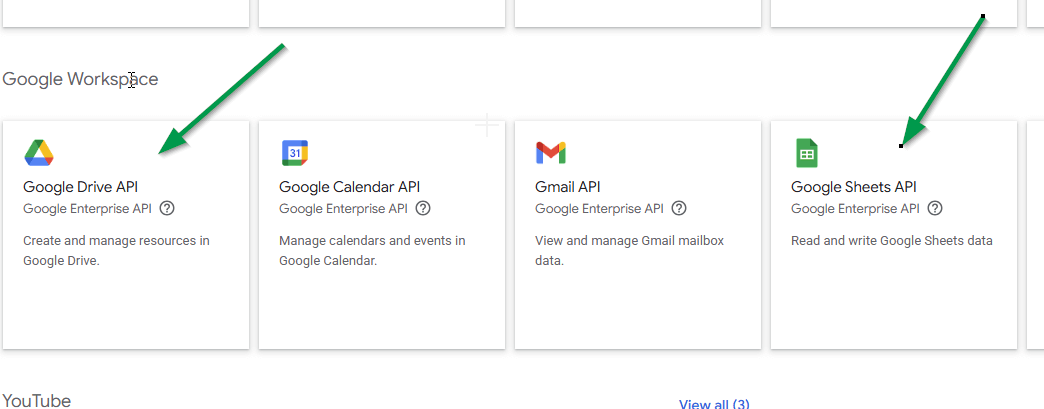
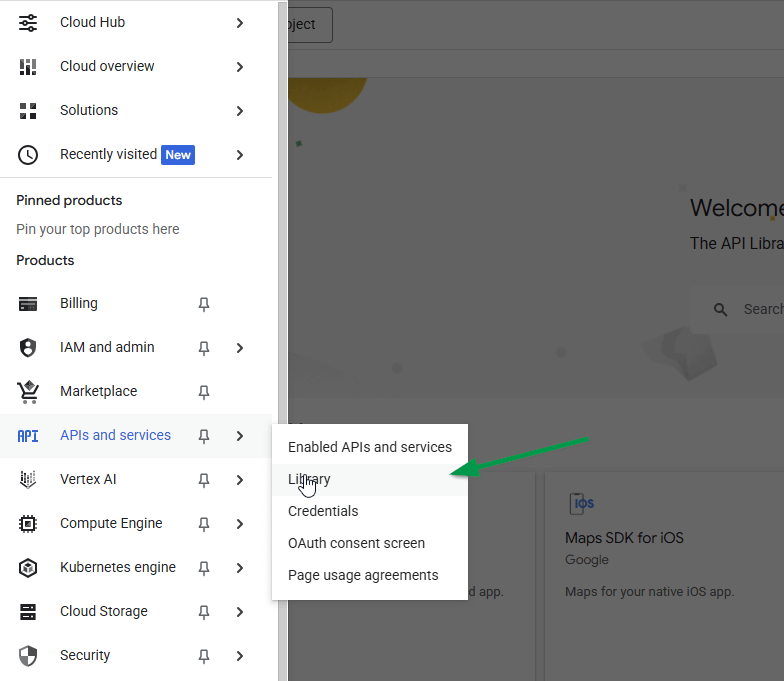
Go to APIs and Services > Library and Select “Google Sheets API” then click “Enable” button, Similarly enable “Google drive” API.
Go to Google sheet’s settings page where you saved Client Id and click “Login with Google sheets” button.
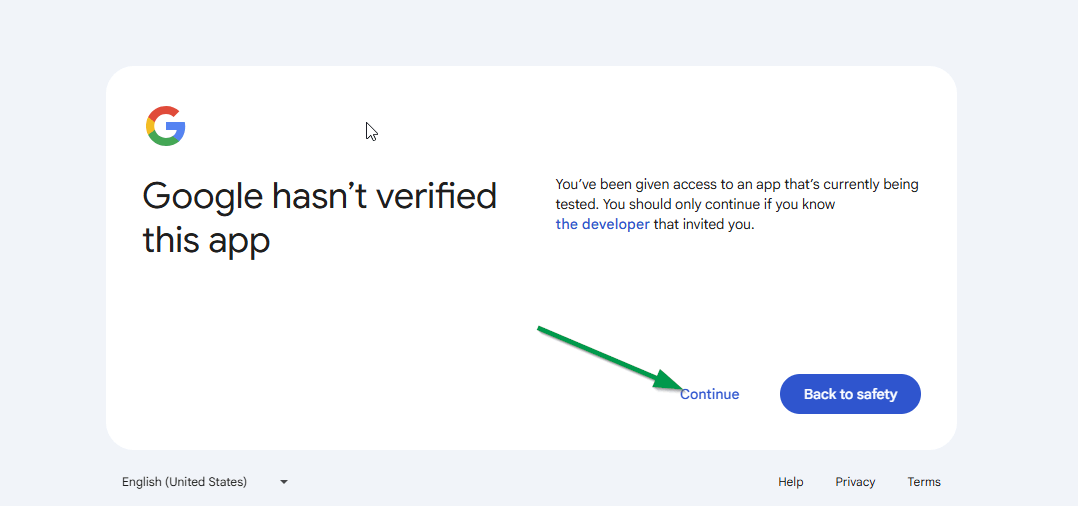
if you see this screen, simply click “Continue” button.
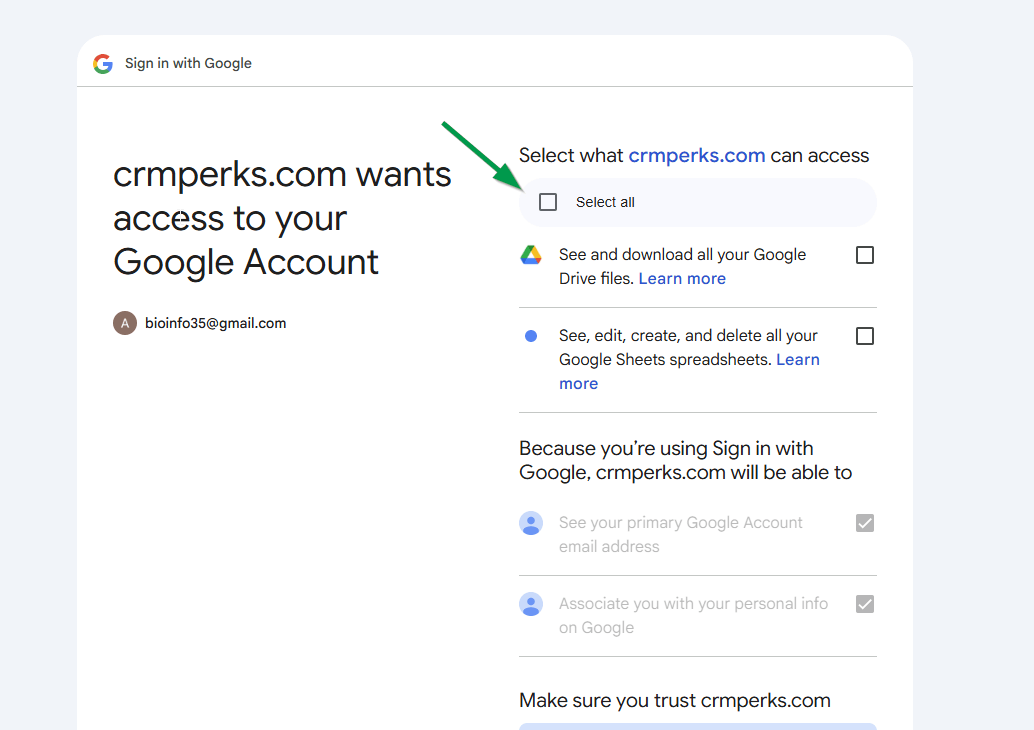
Select all checkboxes on this screen. You have successfully connected google account with plugin.
Create feeds for sending data to Google
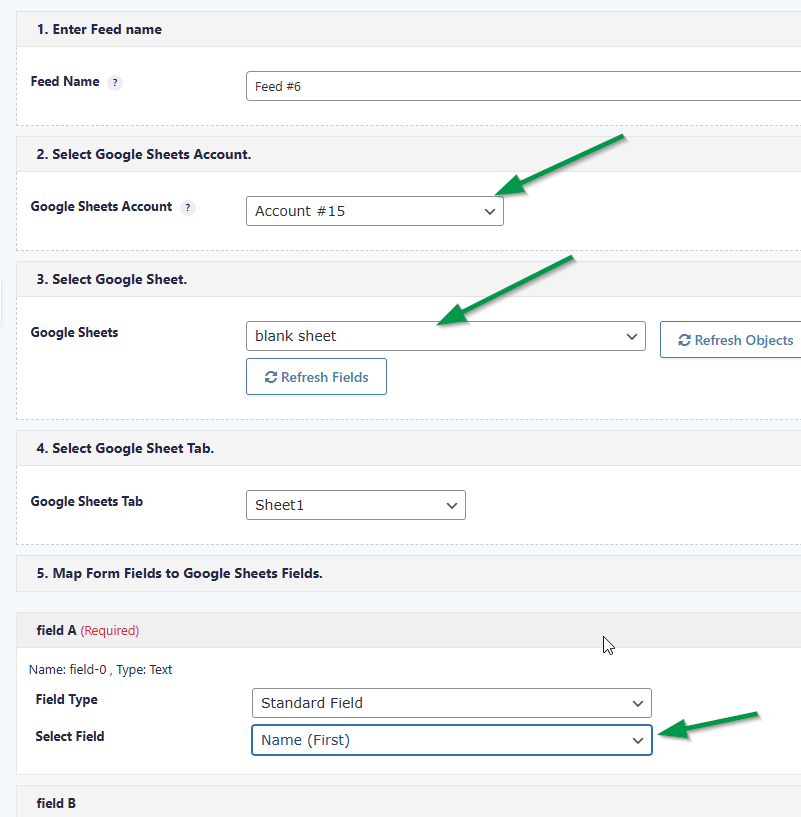
Go to “Google feeds” tab and create new feed (if you are using Gravity forms , go to Forms > select your form > Google sheets) , select your google account , google sheet and map sheet fields to contact form fields.
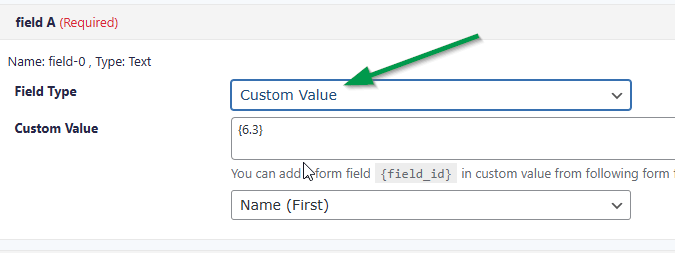
Contact Form Price field
if you map field as “general field” then it will send Price ,
if you map it as “custom value”, it will send real field value , not price
Google connection Disconnected
Please create new Google developer app for each connection https://i.imgur.com/nQxQlYd.png , client ID should be new for each connection.
whenever connection is lost , it means google revoked access token , possible reasons are

- maybe some security settings or you created multiple connections with same google account
- Your google client is still in “Testing” stage and you did not publish it in “audience” tab.